
Overview
If you've sent a guest a Pay By Link payment request and now need to cancel their reservation, you can check the payment's status as part of cancelling — useful if the guest may have already paid before you process the cancellation or mark it as a no-show. Use this procedure when cancelling a reservation that has an outstanding or recent Pay By Link payment.
Applies to
| Product | Juno Hospitality Suite |
| Integration | Oracle OPERA Cloud (via OPI Cloud Service) — Pay By Link |
| Version | Cloud |
| Audience | Front office / Reservations |
What you'll achieve
You'll be able to check whether a guest's Pay By Link payment has been received before you cancel or mark a reservation as a no-show, and see a record of that check afterwards.
Before you start
- You need to have already sent the guest a payment link.
- You can only cancel a reservation with a deposit if the Cancel with Deposit OPERA Control is active for your property.
Automatic deposit refunds for credit card payments only happen if the Auto Deposit Cancellation Refund for Credit cards OPERA Control is active, and only if the reservation is cancelled outside the cancellation penalty period.
Operational steps
Cancel the reservation and check payment status
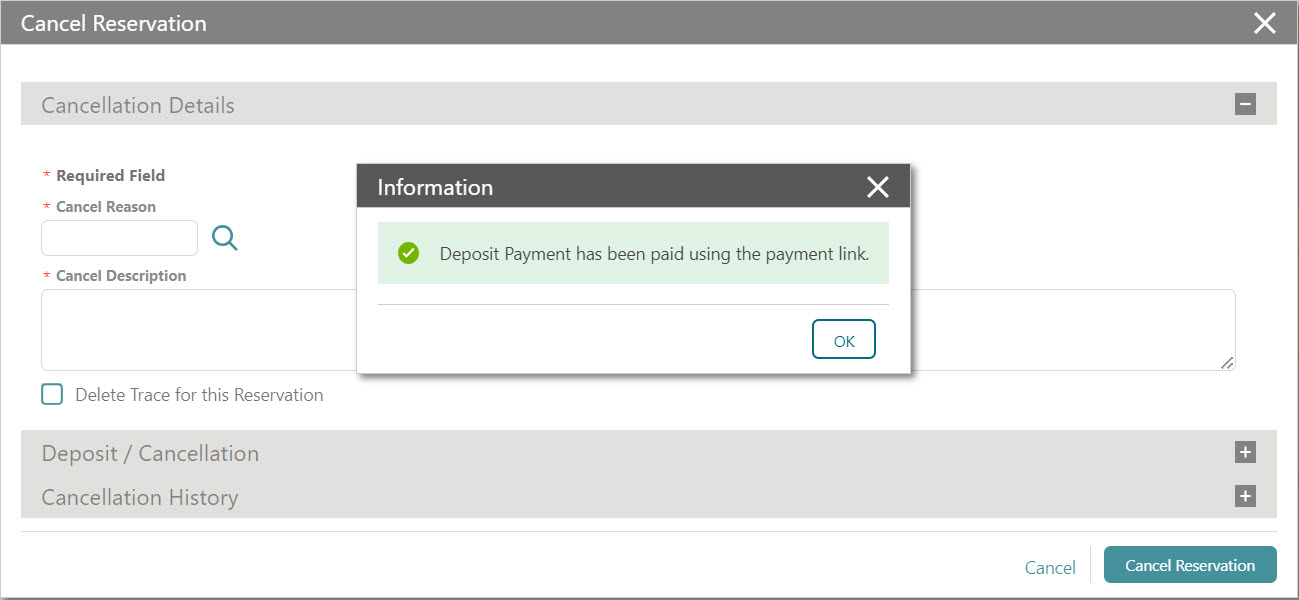
- Click I Want To… and select Cancel Reservation.
This lets you check the payment status for cancelled and no-show reservations from the Deposit/Cancellation screen. If the guest already made a payment that hasn't yet been received by the system before you cancel or mark the reservation as a no-show, you can always check the payment status here to confirm whether the payment has posted.
View the changes log
- Click I Want To… and select Changes Log.
The cancelled reservation's changes log records the details of each payment status check.
Expected result
You've confirmed whether the guest's Pay By Link payment posted before completing the cancellation, and can see a record of that check in the reservation's changes log. Where the applicable OPERA Controls are active, any due credit card deposit refund is handled automatically.
Need more help?
If you're not sure whether the Cancel with Deposit or Auto Deposit Cancellation Refund controls are active for your property, or a payment or refund doesn't behave as described here, please contact your integration partner.
Comments
0 comments
Article is closed for comments.