
Overview
If you've sent a guest a Pay By Link payment request, you can check whether it's been paid during the reservation's check-in — OPERA Cloud checks this automatically for you as part of the check-in flow. Use this procedure once a guest with an outstanding payment link is checking in.
Applies to
| Product | Juno Hospitality Suite |
| Integration | Oracle OPERA Cloud (via OPI Cloud Service) — Pay By Link |
| Version | Cloud |
| Audience | Front office / Reservations |
What you'll achieve
You'll know whether a guest's Pay By Link payment has gone through by the time they check in, and where to find a record of that check.
Before you start
- You need to have already sent the guest a payment link.
- This article covers checking payment status during check-in specifically. Checking status when cancelling a reservation is a separate, related flow not covered here.
Operational steps
Check in the reservation
- Open the reservation and click Check In.
OPERA Cloud automatically checks the payment status when you land on the check-in screen, and again after the deposit payment posts to the reservation — this happens for any reservation still awaiting payment.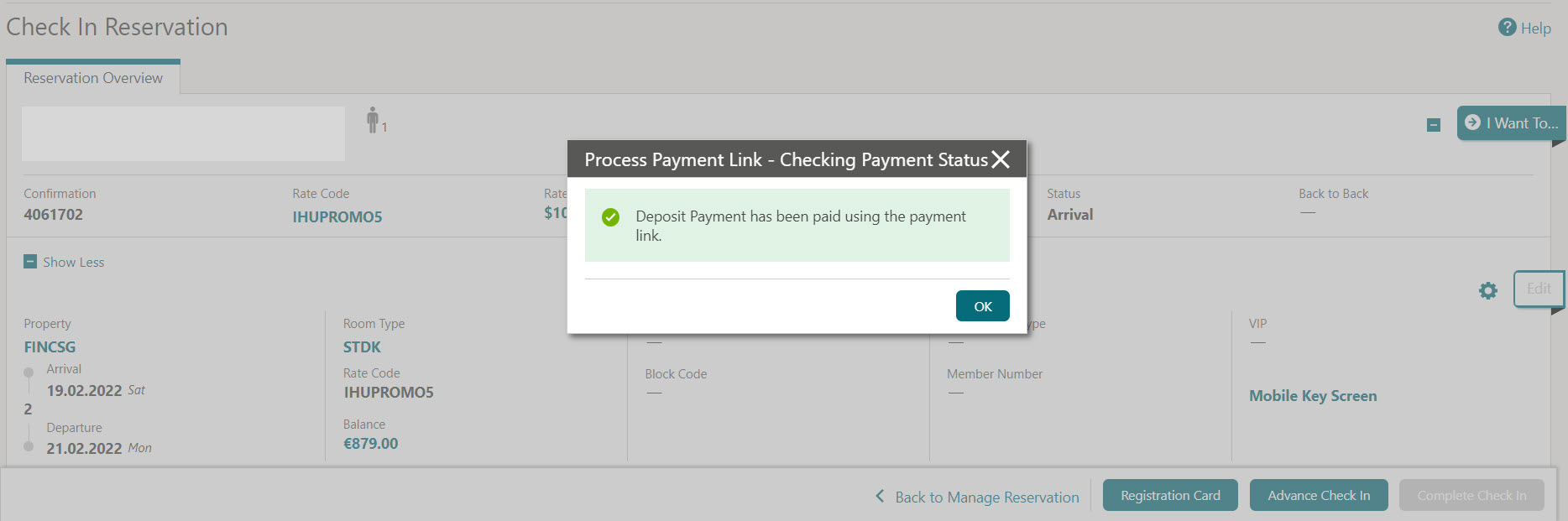
View the changes log
- Click I Want To… and select Changes Log.
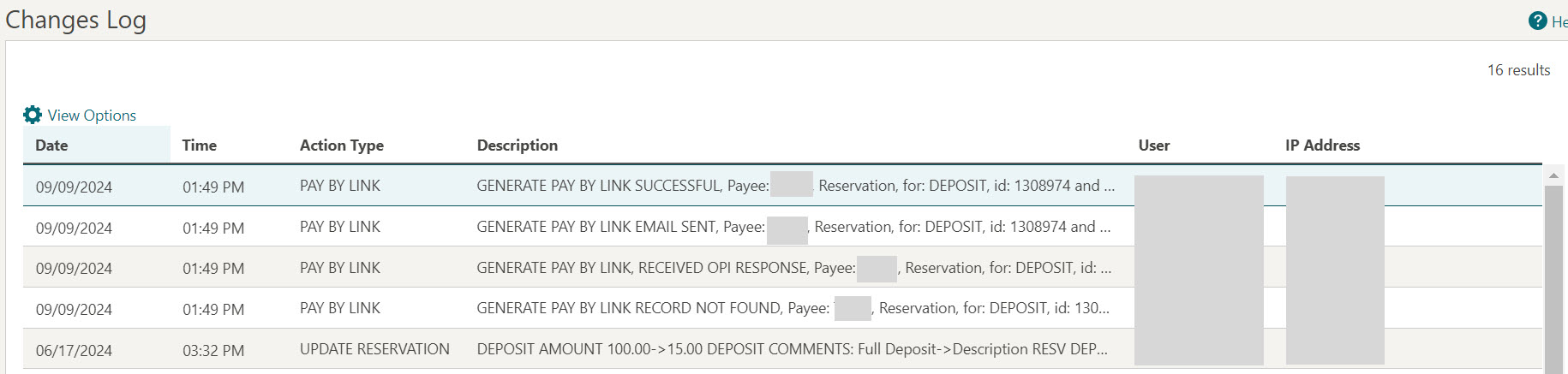
The reservation's changes log records the details of each payment status check.
Expected result
You know whether the guest's payment link has been paid by the time they check in, and can see a record of each payment status check in the reservation's changes log.
Need more help?
If a payment status doesn't update as expected during check-in, or the changes log doesn't show a payment status check you were expecting, please contact your integration partner.
Comments
0 comments
Article is closed for comments.